> mount world: skyblock ......... [OK]
Skyblock
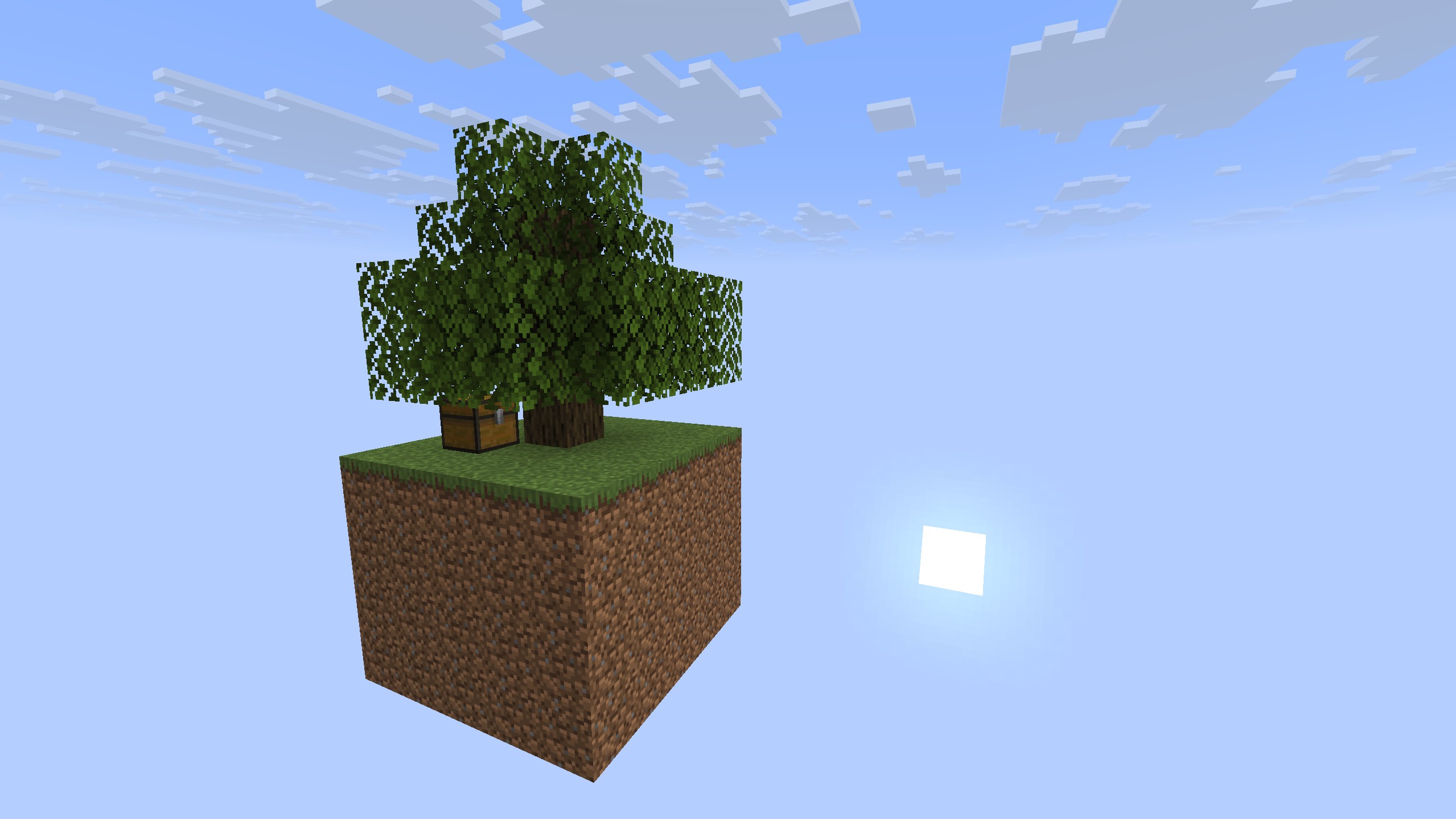
Hardcore void skyblock. You start with a dirt platform, a tree, and nothing else. All three dimensions await the most ambitious players.
> cat /worlds/skyblock/guide.md
What is Skyblock?
Each player gets their own void world — an isolated sky island floating in emptiness. You start with a tiny dirt platform, a tree, and nothing else. No chest. No lava. No water. No supplies. Everything you need, you figure out how to get from vanilla Minecraft mechanics — or you trade for it.
Visitors see your island in adventure mode (look but don't touch) unless you trust them, which grants survival mode and full build access.
The full Finite Frontier economy is enabled — diamond dollars, land claims, and player shops all work — so islands can trade with each other.
Your Starting Island
When you first join or use /skyblock home, a void world is created for you with:
- A 5x5 grass platform at Y=64 (100 blocks of dirt — your entire starting supply)
- An oak tree at the center
That's it. Every block of dirt is 1% of what you have. Manage them carefully.
The Nether and the End are reachable for very ambitious players. Build a nether portal and step through — you'll get your own void nether world with a small netherrack island and two nether trees (crimson and warped). Getting to the End is part of the challenge.
Commands
Use /skyblock help in-game to see all commands. Here's the full list:
| Command | What it does |
|---|---|
/skyblock home |
Teleport to your island (creates it on first use) |
/skyblock visit <player> |
Visit a player's island (requires invite) |
/skyblock invite <player> |
Invite a player to visit your island |
/skyblock disinvite <player> |
Remove a player's invite |
/skyblock trust <player> |
Grant survival mode (build access) on your island |
/skyblock untrust <player> |
Revoke build access (back to adventure mode) |
/skyblock setspawn |
Set spawn point for you and visitors |
/skyblock help |
Show all commands in-game |
Visiting Other Islands
To visit someone's island, they must first invite you with /skyblock invite <yourname>. Then you can visit with /skyblock visit <theirname> — this works even when the island owner is offline.
When visiting, you're in adventure mode by default — you can look around, open chests (if the owner trusts you in GriefPrevention), and interact with the world, but you cannot break or place blocks.
If the island owner runs /skyblock trust <yourname>, you switch to survival mode and can build freely on their island.
| Who | Mode | Can build? |
|---|---|---|
| Island owner | Survival | Yes |
| Trusted visitor | Survival | Yes |
| Invited visitor | Adventure | No |
| Not invited | Cannot visit | — |
Economy
Skyblock runs the same economy as Mooshroomia:
| Command | What it does |
|---|---|
/sell diamond |
Sell diamonds for $10,000 each |
/bal |
Check your balance |
/pay <player> <amount> |
Send money to another player |
/cb buy <amount> |
Convert raw iron to claim blocks (1:1) |
Player shops (QuickShop) and land claims (GriefPrevention) work on your island. You can set up shops for other players to buy from when they visit.
Game Rules
Each island has the following rules:
- Mob spawning: On
- Day/night cycle: On
- Weather: On
- Keep inventory: Off (items drop on death)
- Difficulty: Hard
Tips
- Start with trees: Your oak tree is your lifeline — grow more saplings before you run low
- Manage your dirt: 100 blocks is all you have. Every block you use for a mob farm is one less for farming
- Be patient: The early game is a grind. It gets better.
- Set your spawn: Use
/skyblock setspawnto set where you (and visitors) appear on your island - Protect your island: Use GriefPrevention claims to control who can access chests and interact with your builds
- Trade: Set up QuickShop chests and invite other players to buy and sell — many resources are impossible to produce solo
Chat
Chat is shared across the entire network — messages sent on your Skyblock island are visible to players on Mooshroomia, Hub, and all other servers.
| Channel | Command | Prefix | Description |
|---|---|---|---|
| Global | /global |
! |
Default, network-wide |
| Local | /local |
# |
99 blocks (your island only) |
Getting Access
Skyblock is open to all players — no invite needed. Jump into the void on Hub to get started.
Network
Skyblock is part of the Finite Frontier network. You can switch between servers:
| Command | What it does |
|---|---|
/hub |
Return to the Hub |
If you disconnect while on Skyblock, you'll be reconnected there when you rejoin.